


Enterprise workflow automation is the coordinated use of software, rules, and increasingly AI-native orchestration to run business processes across departments and systems with minimal manual handoffs. AI-native orchestration matters now because it moves automation from executing fixed steps to making contextual decisions inside a workflow, which is why it has become the dominant modernization path for large organizations.
Your immediate next step is not a platform purchase. It’s a scoped proof of concept. Before committing budget, prove three things:
- Integration depth: can it actually talk to your core systems, not just the easy ones?
- Governance: can every automated action be traced, audited, and rolled back?
- Measurable ROI: does it move a real KPI, not a vanity metric?
Pro Tip: Run your POC on a process that already has clean baseline metrics. You cannot prove a meaningful cycle-time reduction if nobody measured cycle time before you started.
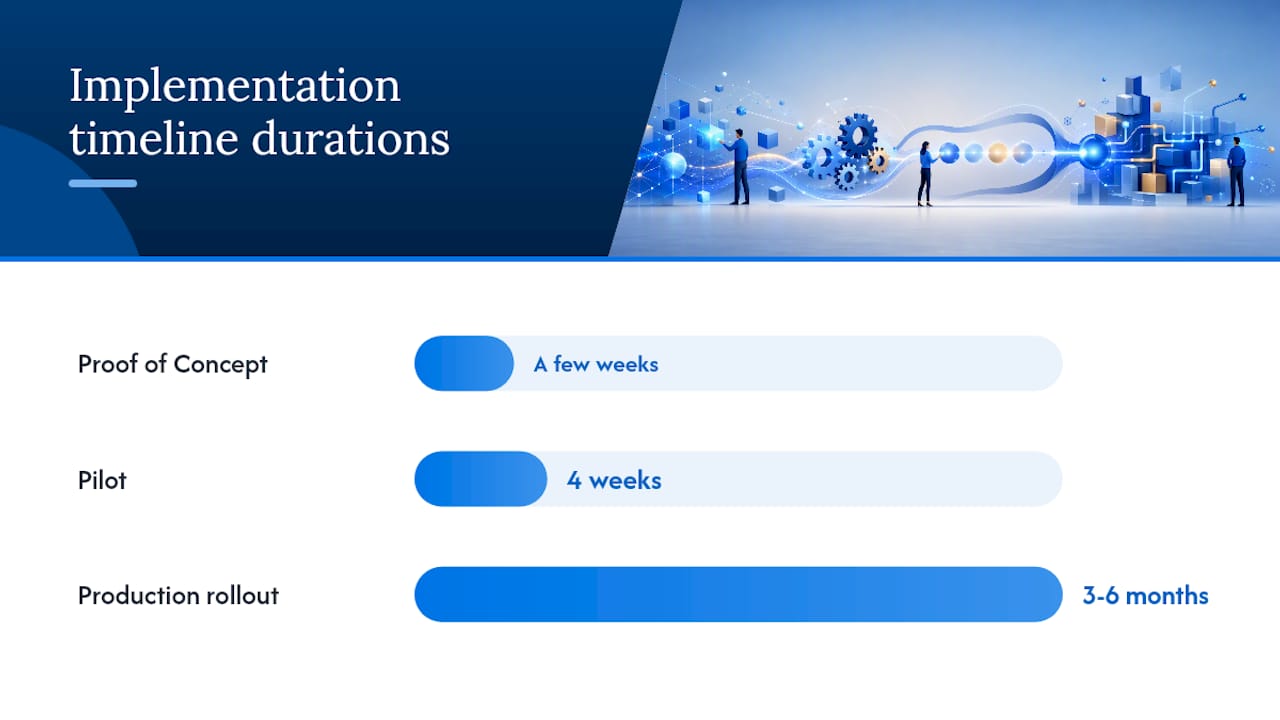
According to Gartner’s enterprise automation implementation lifecycle, a well-scoped POC typically takes only a few weeks, with full production rollout landing at 3 to 6 months depending on integration complexity. Most enterprise estates today sit somewhere across three generations of automation, rule-based scripting, RPA/BPM, and AI-native orchestration, and knowing which generation your organization is actually operating in changes everything about vendor selection. Firms like Seattlesoftwaredevelopers, that specialize in custom integration work, tend to get called in precisely at the point where off-the-shelf tools hit the wall on legacy systems or compliance requirements.
Key Takeaways
Enterprise workflow automation succeeds when a scoped POC proves integration depth, governance, and measurable ROI before any large-scale commitment.
| Point | Details |
|---|---|
| Start with a POC | Validate integration, governance, and KPI improvement in a few weeks before scaling. |
| Know your generation | Rule-based, RPA/BPM, and AI-native orchestration require different evaluation criteria. |
| Prioritize security first | RBAC, encryption, and audit trails should disqualify platforms before feature comparisons even start. |
| Plan realistic timelines | Expect 3 to 6 months for full production rollout after a successful pilot. |
| Consider a custom partner | Seattlesoftwaredevelopers fits organizations whose legacy integration or compliance needs outgrow off-the-shelf connectors. |
Table of Contents
- What Is Enterprise Workflow Automation, and How Did We Get Here?
- Core Platform Capabilities Every Enterprise Automation Tool Must Have
- Which Enterprise Processes Should You Automate First?
- How Do You Evaluate Enterprise Workflow Automation Platforms?
- What Does a Realistic Implementation Timeline Look Like?
- Architecture Patterns That Hold Up at Enterprise Scale
- Managing Risk and Change During Rollout
- Should You Buy a Platform or Build a Custom Solution?
- A Mini Case Study: Modernizing a Legacy Approval Workflow
- What Enterprise Leaders Consistently Get Wrong About Automation
- How Seattlesoftwaredevelopers Supports Enterprise Automation Rollouts
- Frequently Asked Questions
- Sources
What Is Enterprise Workflow Automation, and How Did We Get Here?
Enterprise workflow automation is the practice of using software to model, execute, monitor, and govern multi-step business processes that span people, applications, and data, at a scale where manual coordination breaks down. It’s not one tool. It’s a layered discipline that touches process design, system integration, security policy, and organizational change all at once.
The technology got here in three distinct waves, and most large organizations are running a messy blend of all three today.
- Rule-based automation (first generation): Simple if-then scripting and macros that handled narrow, repetitive tasks. Fast to build, brittle to change, and blind to context. Still common in finance back offices and legacy IT scripts.
- RPA and BPM (second generation): Robotic Process Automation mimics human clicks and keystrokes across UIs, while Business Process Management platforms add formal process modeling, case management, and governance layers. Powerful for structured, high-volume tasks, but both struggle with exceptions and unstructured data. Wikipedia’s overview of business process automation frames these as complementary layers rather than competitors.
- AI-native orchestration (third generation): Adds reasoning and decision-making on top of RPA and BPM, letting automated components handle ambiguity, route exceptions intelligently, and coordinate end-to-end without a human stepping in at every branch point. Platforms in this category, such as Automation Anywhere’s agentic process automation system, combine AI agents, RPA bots, and APIs inside one governed orchestration layer.
A quick glossary helps when vendors start mixing terms:
- RPA: software bots that replicate human actions on user interfaces.
- BPM: the discipline of modeling, executing, and improving structured processes.
- Orchestration: the coordination layer that sequences tasks across systems and services.
- Agentic/AI-native: automation components that reason, decide, and adapt rather than follow fixed rules.
- Connectors: pre-built integrations to specific systems, cloud or on-prem.
- Observability: real-time visibility into workflow health, errors, and performance.
Core Platform Capabilities Every Enterprise Automation Tool Must Have
A platform that looks polished in a sales demo can still fail in production if it lacks the underlying capabilities enterprise workloads demand. Before you evaluate a single vendor, build your own checklist. Here’s the baseline.
Foundational capabilities:
- Visual process modeling that business analysts, not just developers, can read and edit.
- An orchestration engine that sequences tasks, handles branching logic, and manages long-running processes.
- Deep connectors for both cloud services and on-prem legacy systems, not just the popular SaaS apps.
- RPA or desktop automation for systems with no usable API.
- Low-code/no-code tooling so business teams can build simple automations without waiting on IT.
- ML and AI integrations for document extraction, classification, and exception handling.
- Process and task mining to find automation candidates you didn’t know existed.
- Monitoring and observability dashboards that show workflow health in real time, not after a failure report.
- Auditability features that log every automated decision for compliance review.
Security and governance deserve their own line item, because this is where enterprise deals actually get won or lost. Insist on role-based access control (RBAC), encryption in transit and at rest, full audit trails, and a managed environment model that separates development, testing, and production. Microsoft’s Power Automate documentation treats these as table stakes for enterprise adoption, not premium add-ons, and any serious platform should match that baseline. Seattlesoftwaredevelopers builds this governance-first mindset into custom platforms from the start, which matters most when you’re working in regulated industries like healthcare or finance where a missing audit trail isn’t just inconvenient, it’s a compliance failure.
Use this scoring approach when you shortlist platforms:
- Score each capability 0 to 3 based on demonstrated (not promised) functionality.
- Weight security and integration depth at double the value of nice-to-have features like UI polish.
- Disqualify any platform that cannot show a live audit trail during the demo.
- Rank finalists by weighted total, then validate the top two with reference customers in your industry.
Pro Tip: Ask every vendor to run a live demo on one of your actual legacy systems, not their sandbox environment. Sandbox demos hide the real integration pain you’ll face in month three.
Which Enterprise Processes Should You Automate First?
Not every workflow deserves equal priority. The processes worth automating first are the ones with high volume, clear rules, and measurable pain, because they prove value fast and build organizational trust in the program.
- IT operations: automated ticket triage, password resets, and system provisioning reduce mean-time-to-resolution and free up scarce engineering time.
- Finance, accounts payable, and reconciliation: invoice matching and exception routing cut manual data entry and catch discrepancies before they become audit findings.
- HR onboarding and offboarding: automated account provisioning and document routing shrink a process that often spans a dozen disconnected systems.
- Customer service case routing: intelligent routing based on case content and urgency reduces first-response time and misrouted tickets.
- Procurement and purchase-to-pay: automated approval chains and vendor matching shorten procurement cycles and improve spend visibility.
- Compliance workflows: automated evidence collection and audit trail generation reduce the manual burden of regulatory reporting.
For each candidate, define the KPI before you build anything, cycle time, error rate, cost per transaction, or resolution time. A POC without a pre-defined KPI target is just a demo with extra steps.
When selecting your first 3 to 5 use cases for a POC, pick a mix that stresses different capabilities: one that tests deep system integration, one that tests governance and audit requirements, and one that has a clean, easily measured benefit. That combination proves the platform can handle the messy reality of your estate, not just the easy win.
How Do You Evaluate Enterprise Workflow Automation Platforms?
Evaluation should follow priority order, not feature-list order. Security and compliance come first because a platform that fails here disqualifies itself regardless of how good everything else looks.
1. Security and compliance. Confirm certifications relevant to your industry (SOC 2, ISO 27001, HIPAA where applicable), and ask for documentation, not a verbal assurance. Verify RBAC granularity, encryption standards, and how the platform handles data residency if you operate across regions.
2. Integration surface. Count the certified connectors that actually matter to your stack, not the total number the vendor advertises. Analyst reviews of business process automation tools consistently flag integration breadth as one of the clearest differentiators between platforms that scale and platforms that stall at pilot stage. A broader review of BPA tools built to scale from startup to enterprise makes a similar point: the platforms that hold up under enterprise load are the ones with genuinely deep, not just wide, integration libraries.
3. Scalability. Ask how the platform performs under real production traffic, not lab conditions. Request a reference customer running a similar transaction volume to yours.
4. Observability. Confirm real-time dashboards, alerting thresholds, and error-handling visibility. If you can’t see a workflow failing in real time, you’ll find out from an angry business unit instead.
5. Extensibility. Can you extend the platform with custom code, custom connectors, or a bring-your-own-model AI integration? Platforms that lock you into a closed ecosystem create expensive rework later.
6. Total cost of ownership. Licensing models vary wildly, per-bot, per-user, per-transaction, and the sticker price rarely reflects the real cost once you add implementation, connector licensing, and ongoing maintenance.
Bring these questions to every vendor and implementation partner conversation:
- How deep are your certified connectors for our specific legacy systems, not just your top ten integrations?
- What SLAs do you guarantee for uptime and support response time?
- Can you produce a full audit trail for any automated decision, on demand?
- Where is our data stored, and does that meet our regulatory requirements?
- What does your support model look like after go-live, dedicated team or ticket queue?
- Can you provide referenceable customers in our industry running comparable volume?
On the extensibility-versus-out-of-the-box debate: favor out-of-the-box features when your processes are standard and well-served by existing connectors. Favor extensibility, and often a custom-built layer, when your processes are unique to your business or when legacy system quirks make generic connectors unreliable. Vendor lock-in risk should weigh heavily whenever a platform’s proprietary format makes migrating your workflows elsewhere prohibitively expensive.
What Does a Realistic Implementation Timeline Look Like?
Enterprise automation rollouts fail more often from rushed timelines than from bad technology choices. A realistic roadmap has three phases, each with its own validation gate.
| Phase | Typical Duration | What It Must Validate |
|---|---|---|
| Proof of Concept | A few weeks | Integration depth, governance runbook, initial KPI baseline |
| Pilot | 4 weeks | Real user adoption, exception handling, refined KPI targets |
| Production rollout | 3 to 6 months | Full-scale performance, SLO compliance, org-wide adoption |
These durations track with Gartner’s documented implementation lifecycle, though complexity in your IT environment and the number of integrations involved can stretch either end of that range.
Your POC succeeds only if it clears a defined checklist, not just a “the demo looked good” verdict:
- Prove integration with at least one genuinely difficult legacy system, not just the easy API.
- Document a governance runbook covering who approves exceptions and how errors get escalated.
- Establish a performance baseline against the pre-defined KPI, whether that’s cycle time, error rate, or cost per transaction.
- Hit a minimum KPI delta target agreed before the POC started, not retrofitted afterward.
- Define rollback criteria in advance: what conditions trigger reverting to the manual process.
Governance during rollout requires clear ownership, not a diffuse “everyone’s responsible” structure. You need a steering committee for cross-functional decisions, an SRE or ops team monitoring runtime health, a security lead validating each integration point, a business process owner who understands the workflow end to end, and process subject matter experts who catch the edge cases automated logic misses. The handoff from pilot to production should be a formal gate, not a gradual drift, with explicit sign-off from security, ops, and the business owner before scaling company-wide.
Pro Tip: Build your rollback plan before you need it. Teams that skip this step tend to discover, mid-incident, that reverting to the manual process takes longer than the outage itself.
Architecture Patterns That Hold Up at Enterprise Scale
The architecture choices you make early determine how much pain you feel later. A few patterns show up repeatedly in enterprise deployments that actually scale.
Hybrid connector architecture bridges cloud services and on-prem systems securely, letting a workflow reach a mainframe and a SaaS platform in the same process without exposing internal systems directly to the internet. Event-driven orchestration triggers workflow steps based on system events rather than fixed schedules, which reduces latency and avoids the batch-processing bottlenecks that plague older BPM deployments. Code-defined orchestration, the model used by Apache Airflow, lets engineering teams author, schedule, and monitor complex workflows in Python, a pattern especially common in data engineering and ETL pipelines where flexibility matters more than a visual designer. Serverless orchestration, illustrated by AWS Step Functions, offers a visual authoring model with native cloud service integrations that simplifies error handling and scaling for distributed applications.

A structural principle worth adopting regardless of platform: separate the orchestration control plane from execution workers. The control plane enforces policy and sequencing; workers execute inside VPCs or on-prem sandboxes. This split simplifies both scaling and security review, because you can audit policy enforcement in one place without tracing every worker’s individual configuration.
On integration practice, use certified connectors wherever they exist rather than building custom ones from scratch, put an API gateway in front of anything exposed externally, version your integration contracts so a downstream change doesn’t silently break a workflow, and run contract testing before every release. Seattlesoftwaredevelopers’ work on hybrid cloud and integration strategies reflects this same layered approach, treating legacy bridging as a first-class architectural concern rather than an afterthought.
Pro Tip: Design for idempotency from day one. A workflow step that can safely run twice without duplicating a transaction saves you from data corruption disasters during retries.
For resiliency, define clear retry policies, set service-level objectives (SLOs) for workflow completion time, and build observability specifically for long-running processes that might span hours or days, not just quick transactional steps.
Managing Risk and Change During Rollout
Migration sequencing should follow a simple framework: prioritize by business impact, technical complexity, compliance sensitivity, and integration risk, in that order.
- Automate high-impact, low-complexity workflows first to build momentum and trust.
- Tackle compliance-sensitive workflows only after your governance runbook has proven itself on lower-stakes processes.
- Save the most integration-heavy legacy systems for later phases, once your team has hands-on experience with the platform’s failure modes.
Build fail-safes before you need them: circuit breakers that halt automation when error rates spike, feature flags that let you disable a workflow instantly, phased cutover rather than a single flip-the-switch migration, and a documented fallback to the manual process for every automated workflow.
Adoption depends on people, not just technology. Give each role targeted, job-specific training rather than a generic platform overview, build runbooks for common failure scenarios, provide sandbox environments where employees can experiment without breaking production, and publicly recognize the internal champions who help colleagues adopt the new workflow.
Should You Buy a Platform or Build a Custom Solution?
The decision comes down to five criteria: time to value, total cost over a multi-year horizon, how much unique intellectual property your process represents, the complexity of your legacy integrations, and what long-term support model you actually want.
- Off-the-shelf platforms win on time to value when your processes are standard and well-served by existing connectors.
- Custom-built solutions win when your workflows encode unique competitive logic, or when legacy integration complexity makes generic connectors unreliable at scale.
- Hybrid approaches, extending a vendor platform with custom services or wrapping a legacy system in a custom integration layer, often deliver the best of both, which is why many enterprise IT leaders land here after their first platform evaluation.
If you’re vetting a custom implementation partner, ask about their team’s specific technical skills, their security posture and certifications, reference implementations in your industry, the SLAs they’ll commit to, their knowledge transfer plan so you’re not permanently dependent on them, and what ongoing maintenance actually costs once the initial build ends. Custom software development built specifically to wrap or extend legacy systems tends to outperform generic connectors precisely where those connectors run out of depth.
A Mini Case Study: Modernizing a Legacy Approval Workflow
A mid-size organization running a paper-heavy, multi-system approval workflow approached Seattlesoftwaredevelopers after their existing manual process created weeks-long bottlenecks and no audit trail for compliance review. The approach followed the standard lifecycle: a scoped POC proved integration with the legacy case management system, a pilot validated the governance runbook and exception handling, and production rollout scaled the workflow organization-wide.
- Manual approval cycle time dropped meaningfully once automated routing replaced email-based handoffs.
- Exception handling and error visibility improved once real-time observability replaced quarterly manual audits.
- The organization gained a documented audit trail for every automated decision, closing a standing compliance gap.
The biggest lesson wasn’t technical. It was that governance built in from the POC stage, not bolted on before launch, is what let the rollout scale without a security review derailing the timeline.
Anyone considering a similar engagement should start with the process that has the clearest compliance gap. It tends to generate the fastest executive buy-in.
What Enterprise Leaders Consistently Get Wrong About Automation
The trade-off nobody wants to admit upfront is that governance and speed pull in opposite directions, and trying to skip that tension usually costs more time later than it saves now. Teams that rush past governance to hit a demo deadline almost always pay for it during the security review that gates production rollout.
A center of excellence model, a small internal team that owns automation standards, reusable components, and governance policy, consistently outperforms a free-for-all where every department builds its own automations independently. Reuse beats customization more often than vendors admit, because a workflow built once and adapted for three departments is easier to audit and maintain than three bespoke builds.
The most common pitfall in a POC isn’t technical failure. It’s picking a use case too simple to prove anything meaningful, then being surprised when production reveals integration problems the POC never touched. Maintaining momentum after launch requires the same discipline as the launch itself: keep the steering committee meeting, keep measuring the KPI you defined at the start, and keep your implementation partner engaged past go-live rather than treating handoff as the finish line.
How Seattlesoftwaredevelopers Supports Enterprise Automation Rollouts
If the platforms and evaluation criteria above have you thinking about build complexity, that’s the right instinct. Seattlesoftwaredevelopers exists for exactly the point where off-the-shelf automation tools hit legacy integration walls or compliance requirements a generic connector can’t satisfy.

Seattlesoftwaredevelopers offers custom integration work for systems your automation vendor’s connector library doesn’t reach, security-first development for regulated industries like healthcare and finance, scalable deployment architecture built for real production traffic rather than demo conditions, and staff augmentation when your internal team needs extra hands without a permanent headcount commitment. The engagement path mirrors the roadmap covered above: assessment, POC support, pilot, production handoff, and ongoing managed support, with regular demos throughout so you’re never guessing at progress.
If you’re weighing a custom build against a platform that keeps falling short on integration depth, start with a look at the step-by-step development process to see what an assessment conversation actually covers.
Frequently Asked Questions
What is the difference between RPA and BPA?
RPA automates specific repetitive tasks by mimicking human UI actions, while business process automation (BPA) takes a broader view, modeling and governing entire multi-step processes across systems. RPA is often one component inside a larger BPA or BPM strategy.
When should you use RPA instead of full workflow orchestration?
Use RPA when a task is highly repetitive, rule-based, and confined to systems without usable APIs. Choose full orchestration when the process spans multiple systems, requires exception handling, or needs end-to-end visibility and governance.
How long does enterprise workflow automation implementation typically take?
A focused POC usually takes a few weeks, while full production rollout across an enterprise environment generally runs 3 to 6 months, depending on integration complexity and the number of legacy systems involved.
What is BPM versus RPA versus AI-native orchestration?
BPM handles process modeling and governance, RPA executes repetitive UI-based tasks, and AI-native orchestration adds reasoning to coordinate both alongside APIs and human input for complex, decision-heavy workflows.
Is workflow automation the same as workflow orchestration?
Not exactly. Workflow automation refers broadly to removing manual steps from a process, while workflow orchestration specifically means coordinating multiple automated components, systems, and decision points into one governed sequence.
Sources
- Gartner: enterprise automation implementation lifecycle (excerpt)
- Business process automation — Wikipedia
- Apache Airflow® documentation
Recommended
- Enterprise Software: Enhancing Collaboration and Communication | Seattle Software Developers
- How AI Is Transforming Businesses | Seattle Software Developers
- How Custom Software Can Streamline Your Business | Seattle Software Developers
- Top AI Software Tools Every Business Should Invest IN | Seattle Software Developers